Your Designs
Power Studio Designer has imported the EE-Sim designs it currently supports — you don't need to export or import anything yourself. Designs that can't be imported yet appear as Pending while we continue to onboard them.
Where to Find Them
- Sign in to Power Studio Designer with your MyAnalog account (the same one you used for EE-Sim)
- Navigate to Library > My Designs
- Your imported designs appear alongside any new designs you create in Power Studio Designer
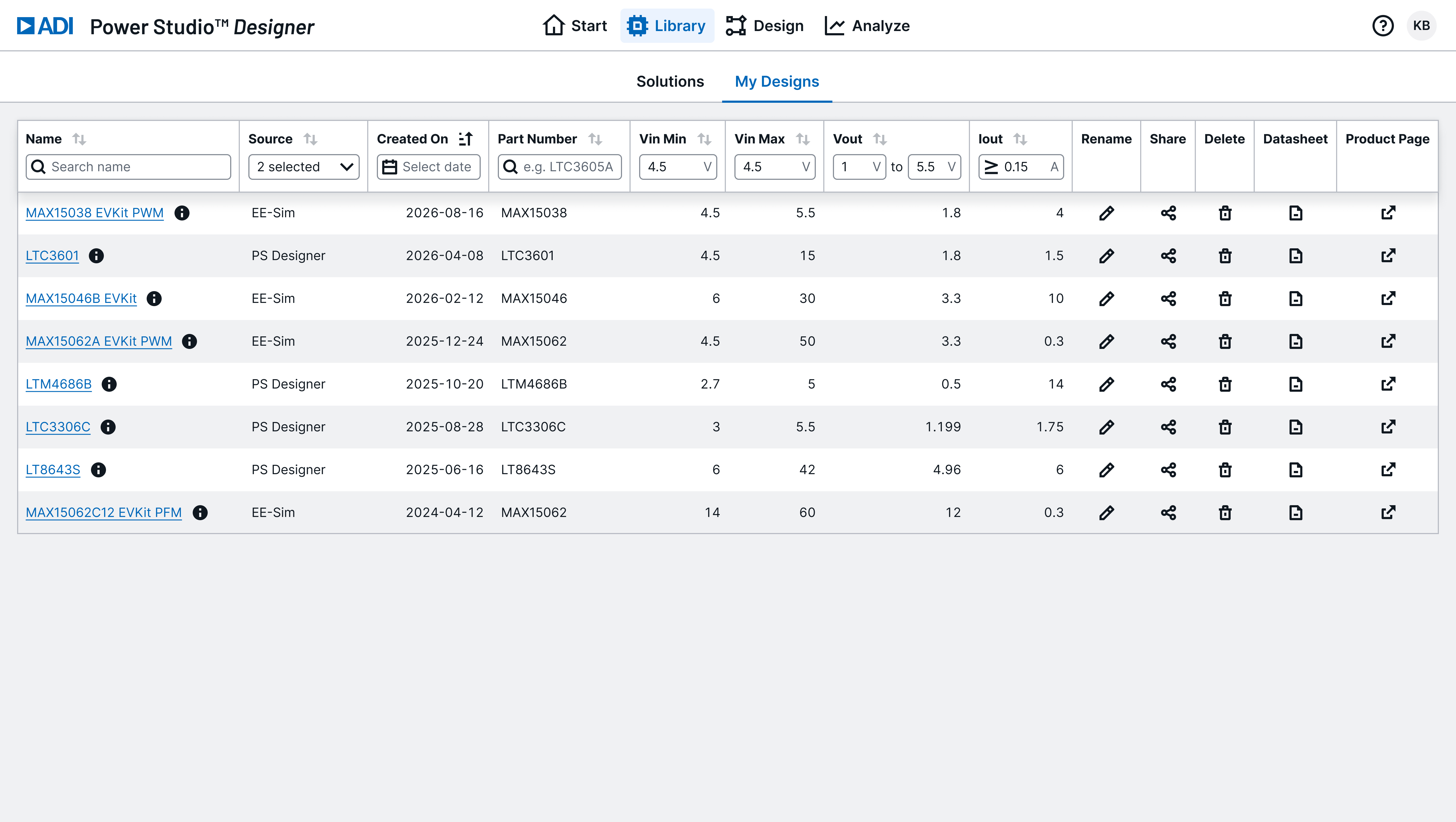
Imported Designs
If your design uses parts that are in the Power Studio Designer unified catalog, it has been imported and is fully editable — you can modify components, adjust requirements, run analysis, and export just like any other Power Studio Designer design.
Pending Designs
Power Studio Designer doesn't yet support every EE-Sim part. Designs that use a part we can't import yet appear in My Designs with a Pending status.
- Pending designs can't be opened, edited, or analyzed yet — they haven't been imported
- We're continuing to onboard parts and will eventually import all designs
- Need a Pending design sooner? Hover the Pending pill and click Request Import to open a Technical Support request to prioritize importing that design
No action is required — we'll import your Pending designs over time. Requesting import just helps us prioritize the ones that matter most to you.
Support / Configuration Components (Planned)
Power Studio Designer doesn't yet support editing of Support / Configuration components. These are components that configure the IC but don't affect loop response — things like BIAS capacitors, pullup resistors, SS capacitors, etc.
- For imported EE-Sim designs, the values and vendors for these components have been preserved
- This data will become accessible once support for Support / Configuration components is enabled
- No action is needed on your end — your data is preserved and will appear automatically when this feature is available
Same Account
You do not need a new account. Your existing ADI MyAnalog credentials work in Power Studio Designer. Corporate SSO (Azure AD) is also supported.
Can't Find a Design?
- Confirm you're signed in with the same MyAnalog account you used for EE-Sim
- Check Library > My Designs
- If a design uses a part we can't import yet, it will appear with a Pending status
- If a design still doesn't appear, contact Power Studio Designer Technical Support