EE-Sim Migration Guide
EE-Sim has been retired
As of July 15, 2026, EE-Sim is no longer available. All EE-Sim URLs now redirect to Power Studio Designer. Your supported designs have been imported — sign in and go to Library > My Designs to find them. Designs we can't import yet appear as Pending while we continue onboarding them.
Why is EE-Sim being retired?
EE-Sim is a third-party, vendor-hosted tool that has reached end-of-life. The vendor's shutdown of the platform accelerated the transition to Power Studio Designer, which was already the planned successor. Your existing designs have been preserved and are available in Power Studio Designer using the same MyAnalog account.
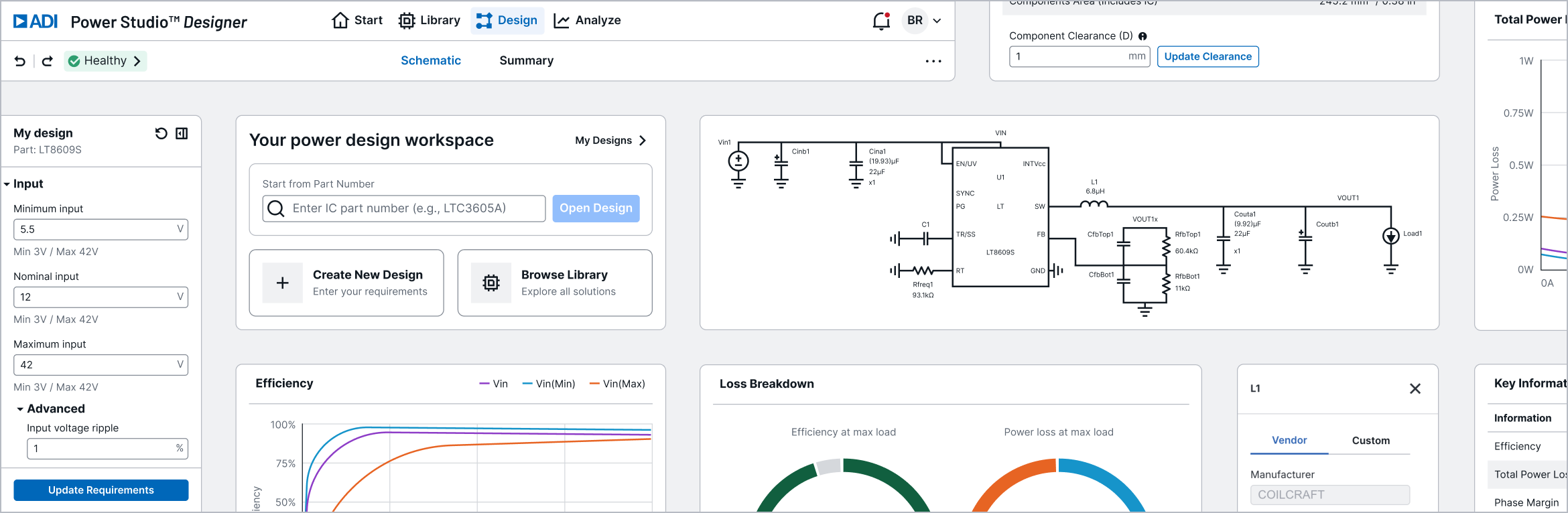
Power Studio Designer is ADI's next-generation, browser-based power design tool and the direct replacement for EE-Sim. It covers the same DC-DC power supply design workflows with several improvements.
New to Power Studio Designer?
Watch the Getting Started video for a quick tour of the tool.
At a Glance
| EE-Sim | Power Studio Designer | |
|---|---|---|
| Platform | Browser + OASIS desktop app | Browser-based (export to OASIS/LTspice) |
| IC Coverage | 250+ Maxim ICs | 374+ solutions across unified Maxim and LT catalog |
| Design Entry | Enter requirements, tool generates schematic | Enter requirements, instant customized solutions matched to your search |
| Built-in Analysis | Run simulation (SIMPLIS), wait for results | Instant analytical results (no simulation run) |
| Offline Simulation | SIMPLIS/OASIS desktop | Export to LTspice or SIMPLIS/OASIS |
| Versioning | Track changes, compare versions | Save & restore version history |
| Account | MyAnalog (free) | MyAnalog or corporate SSO |
What's Improved
- 374+ solutions across a unified Maxim and LT catalog (vs EE-Sim's 250+ ICs)
- Instant analysis — no waiting for simulation runs; efficiency, loss, and loop stability are computed on demand
- Parametric sliders — sweep temperature (-40°C to 125°C) and input voltage with live chart updates
- Multi-Vin visualization — efficiency and loss charts plot Vin(Min), Vin(Nominal), and Vin(Max) simultaneously
- Component editing from analysis — click "Edit part" directly in the loss breakdown table
- Design health indicator — automated validation flags issues before you run analysis
What's Different
- Analytical engine for instant results — Power Studio Designer computes built-in results on demand and exports to LTspice/SIMPLIS for circuit-level simulation. Online simulation with LTspice and SIMPLIS is a planned feature.
- Multiple design options — the same requirements-driven workflow generates several valid designs across acceptable parts, so you compare and choose rather than accepting a single result
- No general-purpose waveform viewer — replaced by purpose-built analysis views with integrated metrics and parametric controls
OASIS
The OASIS desktop simulator continues to be available for offline simulation workflows and will be maintained as part of ADI's power management tools portfolio.
Quick Start
- Open Power Studio Designer
- New here? Watch the Getting Started video for a quick tour
- Sign in with your ADI MyAnalog account (the same account you used for EE-Sim)
- Go to Library > My Designs to find your imported EE-Sim designs
- From Start, click Create New Design to get customized solution options from your requirements
- From Library, click Create Design on any solution to open it in the editor
- Adjust requirements, swap components, run analysis, export BOM or simulation files
Next Steps
- Getting Started video — a quick tour of Power Studio Designer
- Your Designs — find your imported EE-Sim designs and track any that are Pending
- Workflow Comparison — see how your EE-Sim workflows map to Power Studio Designer
- FAQ — common questions about the transition